You fill the pitcher, take a sip, and something feels off. The water isn't terrible, but it's not as clean-tasting as it was a few weeks ago. Maybe there's a faint chlorine note. Maybe the flow through the reservoir has slowed down enough that you notice it every morning. Or maybe that little light on the lid has been blinking at you long enough that it's become part of the kitchen scenery.
That's usually when changing Brita filter instructions are needed. They don't just want the basic steps. They want to know if the light is right, if the black specks are normal, if the filter has to be soaked, and whether they're about to snap a plastic lid trying to remove a stuck cartridge.
A Brita filter swap is simple once you understand what the filter is doing. These cartridges rely on activated carbon and related media to improve taste and reduce certain contaminants over time. When the media gets used up, performance drops. So the primary task isn't just replacing a part. It's keeping the pitcher working the way it was designed to work.
That Moment You Know the Filter Is Done
It usually starts with a small clue.
A homeowner changes nothing about the water they buy, the sink they use, or the pitcher's location on the counter, but the taste shifts anyway. One day the water still seems crisp. A few days later it tastes flatter, or the chlorine smell is back when the glass gets close to your face. The filter often doesn't fail dramatically. It fades.
Another common trigger is the indicator light. A lot of people ignore it because the water still looks clear, and clear water can fool you. A pitcher filter isn't there just to make water look nice. It's there to reduce chlorine taste and odor, and with some filter types, reduce additional contaminants when used on schedule. If you wait too long, you're still pouring water through the cartridge, but you're not getting the same job from it.
The usual signs people notice first
- Taste changes first: Water that once tasted neutral starts tasting like tap water again.
- Odor creeps back in: A light chlorine smell is often the clue that gets people moving.
- Filtration slows down: The upper reservoir drains more slowly than normal.
- The lid starts nagging you: A blinking or color-changing indicator is easy to ignore until it isn't.
Practical rule: If your water tastes worse and the indicator agrees, don't overthink it. Change the filter.
I've found that most trouble comes from putting the swap off because the pitcher still “kind of works.” That's the maintenance trap with simple water filtration. Since the unit doesn't shut down, people assume it's fine. It isn't always fine. A tired filter still passes water. It just may not be doing the same level of taste and contaminant reduction it did when it was fresh.
The good news is that Brita replacements are quick. The better news is that once you understand the timing, the filter types, and the reset process, the whole job stops feeling vague.
Decoding When to Change Your Brita Filter
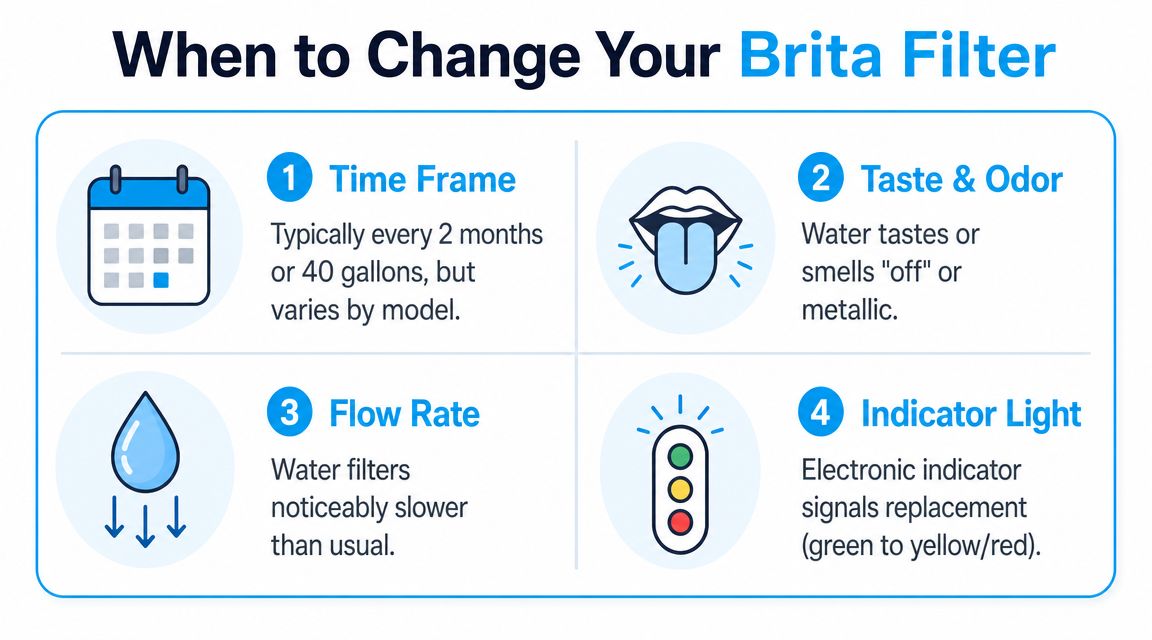
The cleanest way to decide when to replace a Brita filter is to use three signals together. Follow the built-in indicator if your model has one, keep the expected lifespan of your filter type in mind, and pay attention to what your water is telling you.
Brita's schedule isn't one-size-fits-all. According to Medical News Today's summary of Brita filter timing and lifespan, standard pitcher filters are typically changed every 2 months, while Brita says its filters generally last 2 to 6 months depending on the pitcher or dispenser type. In practical use, that works out to about 40 to 120 gallons before replacement, and Brita says the Longlast+ now called Elite lasts 6 months, while the standard filter lasts about 2 months.
Time matters because the filter media wears out
That replacement window isn't random. Activated carbon and ion-exchange media become less effective as they saturate. So if you want the pitcher to keep reducing chlorine taste and odor properly, schedule matters.
A lot of people treat the filter like a battery that works perfectly until the exact minute it dies. In practice, it's better to consider it as any maintenance item that gradually loses effectiveness. That's why the idea behind what is condition based maintenance fits so well here. You use a mix of timing and condition signals, not blind guesswork.
What the indicator is really telling you
On newer pitchers, the electronic indicator is your easiest prompt. It's there to keep your replacement timing consistent with the filter the lid is tracking. If it changes color or starts blinking, take it seriously, but don't treat it like magic. It only helps if it was reset correctly after the last filter change.
Older pitchers may use a simpler sticker or manual date dial. That system is less fancy, but it works if you set it when you install the cartridge. Most missed filter changes happen because someone says they'll remember, then life happens.
If the indicator wasn't reset after the last swap, the light may be warning you about the wrong filter age.
Your senses still matter
Even with an electronic lid, taste and smell are worth trusting. If chlorine odor comes back or the water tastes off before the indicator says it's time, I pay attention. Indicators are useful. Your mouth and nose are useful too.
A slow filter is another clue. Not every slow pitcher means the cartridge is spent, but a noticeable drop in flow often means something has changed inside the media or around the fit of the filter. If your usual refill routine suddenly drags, that's worth checking.
Here's the simplest way to read the signals:
| Signal | What it usually means | Best response |
|---|---|---|
| Indicator changes or blinks | Replacement timing has likely been reached | Check filter type and replace if due |
| Water tastes or smells off | Reduction performance may be fading | Replace sooner rather than later |
| Flow gets much slower | Filter may be clogging or seated poorly | Reseat or replace |
| You lost track entirely | Maintenance drift | Replace the filter and reset properly |
When people ask me which signal is most reliable, I say this: time gives you the schedule, the indicator gives you the reminder, and taste gives you the reality check.
The Filter Swap Process for Any Brita Model
A clean filter change takes only a few minutes, but the order matters. The job goes smoother when you think in four moves: remove, prep, install, reset.
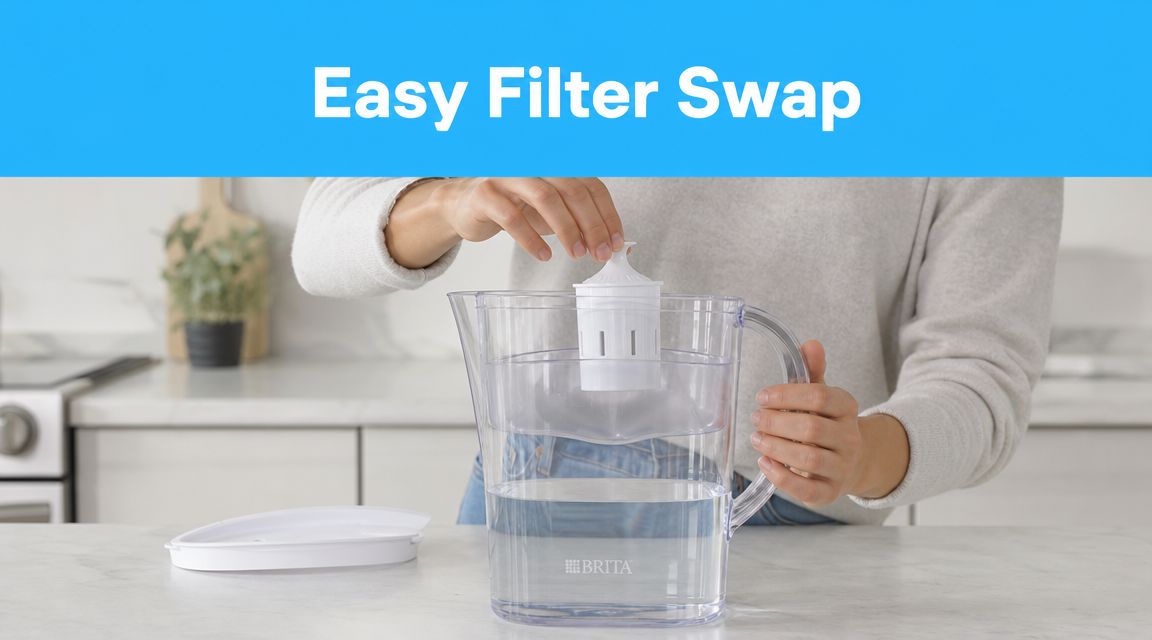
Brita's own support guidance for replacement filters says the key workflow is to remove the old cartridge, pre-condition the new one, flush it, and reset the indicator. Brita says to rinse new filters under running water for 15 seconds, insert them firmly until seated or clicked, and for some models hold the STATUS button for 6 seconds until the green Elite light blinks three times. That same guidance is the reason I tell people not to skip prep. Most of the annoying first-use problems come from rushing.
Pitchers and dispensers
Start by emptying the reservoir and taking the lid off. Pull the old filter straight out. If it's stuck, grip it low and wiggle gently instead of yanking the top edge. A filter can bind a little when it has been sitting in place for a while, especially if mineral residue or moisture has made the fit tight.
Before the new cartridge goes in, give the pitcher a quick wash with mild soap and rinse it well. This is one of the easiest ways to keep the whole system tasting clean. If you only ever change the cartridge and never wash the body, the filter gets blamed for problems the pitcher caused.
Why the rinse step matters
Brita says to rinse the new filter under running water for 15 seconds. That step isn't busywork. It helps pre-condition the media and wash away loose carbon fines that can show up as tiny black specks in the first water you pour.
Those specks worry people, but in most cases they're just residual carbon fines from a new filter. The rinse and initial flush handle that.
Use this rhythm:
- Remove the old cartridge and discard it according to your local recycling or disposal option.
- Rinse the new cartridge under cool running water for the full recommended time.
- Insert it firmly until it feels properly seated. On many models, you'll feel or hear a click.
- Fill and flush the first batch of water through the filter.
- Reset the indicator before you walk away.
A loose filter is one of the sneakiest problems. If the cartridge isn't fully seated, water can bypass the fit you're counting on.
What works and what doesn't
Some habits help. Some just create extra mess.
- Works well: Cleaning the reservoir while it's empty.
- Works well: Pressing the filter down firmly so it seals properly.
- Works well: Flushing the first pitcher if you see carbon dust.
- Doesn't work: Dropping the filter in casually and assuming gravity will seat it.
- Doesn't work: Forgetting the reset and trusting yourself to remember the date later.
- Doesn't work: Blaming the new filter for bad taste when the pitcher itself needs washing.
If you like seeing the process before doing it, this walkthrough is useful:
If your filter seems stuck or crooked
A stuck old cartridge usually comes out with patient side-to-side movement. Don't pry hard against the plastic housing with a knife or screwdriver. That's how lids get gouged and reservoirs crack.
If the new filter sits unevenly, remove it and try again. The right fit should feel deliberate, not questionable. Water filtration parts are simple, but seal quality matters. If something looks crooked, fix it before you fill the tank.
A note on faucet mount systems
Brita faucet systems aren't swapped exactly like pitcher cartridges. The idea is similar, but the housing and cartridge design are different, and the model-specific instructions matter more. With faucet units, I always recommend following the cartridge alignment marks on the system itself and checking for a proper seat before running filtered water.
The general principle still holds. Don't force the cartridge, don't skip the flush, and don't assume a blinking indicator means the new filter automatically registered itself. Faucet systems can be less forgiving if the cartridge is installed slightly off.
Resetting Your Indicator and Final Checks
Physical installation is only half the job. If the indicator isn't synced to the new cartridge, you've set yourself up for confusion later.
How to reset without guessing
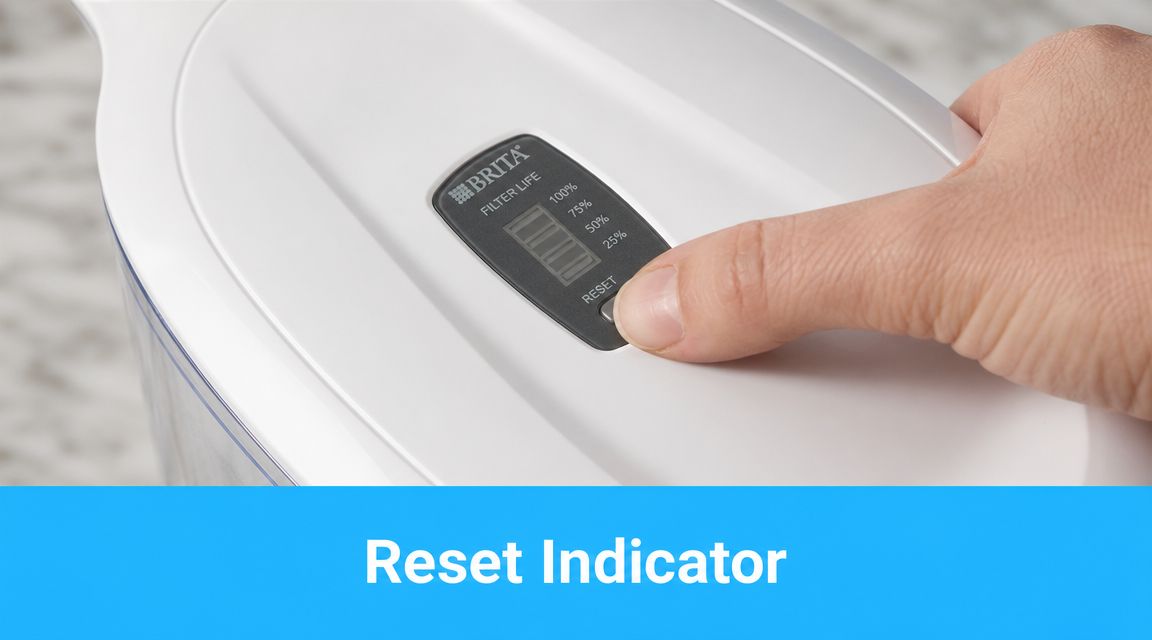
On some Brita pitchers, the reset is straightforward. Press and hold the STATUS button until the indicator responds. For some models, the confirmation is the green Elite light blinking three times after holding the button for 6 seconds, as noted in Brita's support instructions mentioned earlier.
That blinking matters because it tells you the lid accepted the reset. If you press too briefly, nothing may change. If the light sequence doesn't appear, do it again before you refill and forget about it.
For readers who want a model-by-model walkthrough, this guide on how to reset a Brita filter indicator is a handy reference.
Sticker indicators and manual tracking
Some older pitchers use a sticker or dial instead of electronics. Those systems work fine if you update them the moment the filter goes in. Don't set the date later. Later usually turns into never.
A manual system is simple, and that's its strength. It can't glitch, but it also can't remind you unless you've marked it clearly.
Final checks before you call it done
Run through these quick checks:
- Look at the fit: The cartridge should sit straight and secure.
- Check the water: If you see a few black flecks at first, flush another batch.
- Watch the indicator: Confirm the reset registered.
- Taste the water: It should return to that cleaner, neutral profile you expect.
If the light is still acting like the old filter is installed, the issue is usually the reset step, not the cartridge.
When people say a new filter “didn't work,” I often find one of two problems. The filter wasn't fully seated, or the indicator never got reset, so they assumed something was wrong when the lid kept warning them.
Smart Tips for Brita Filter Maintenance
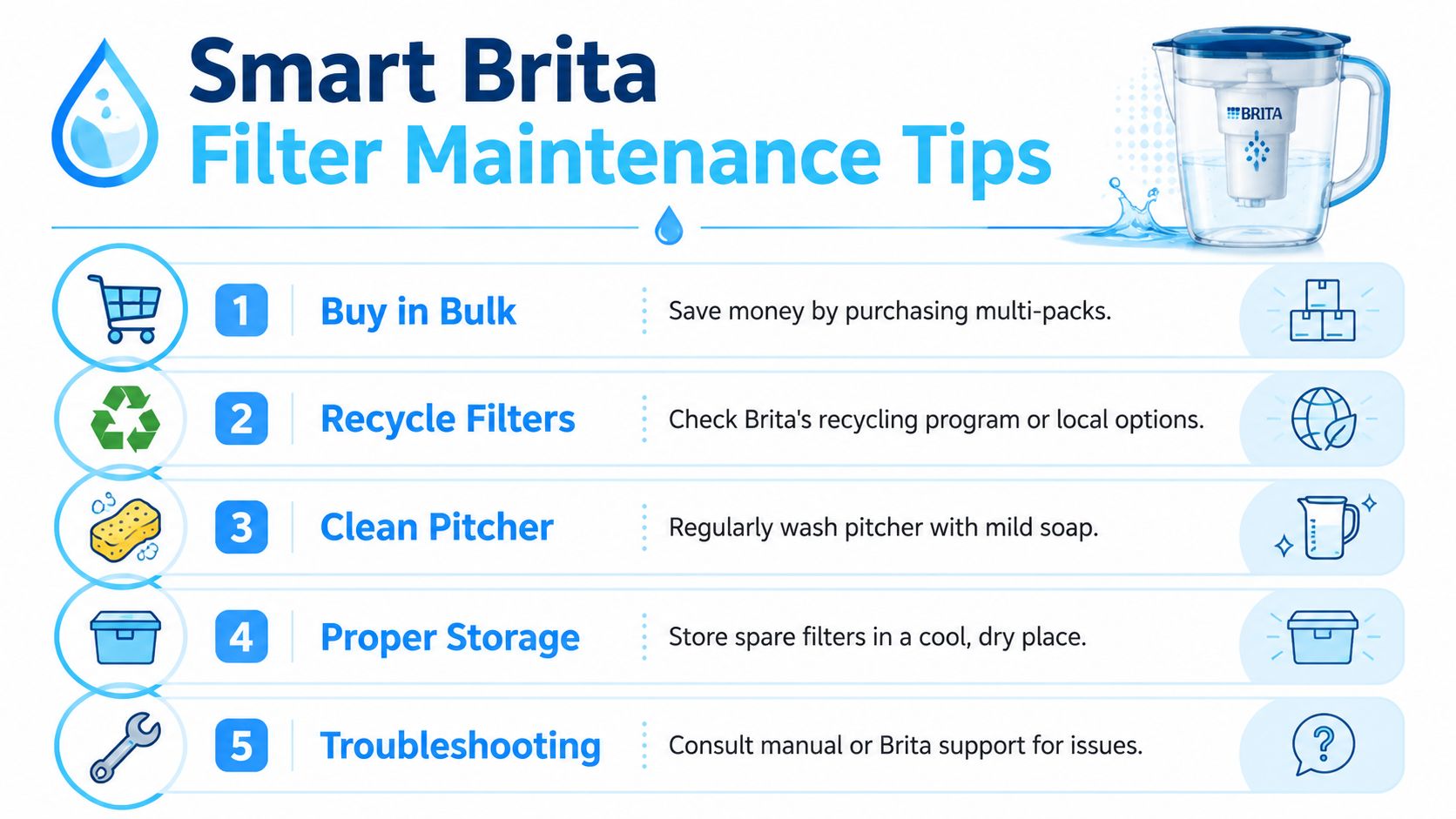
Good Brita maintenance is mostly about consistency. You don't need a complicated system. You need a routine that keeps the pitcher clean, the replacement schedule visible, and the right filter on hand before the old one is overdue.
Brita says that all of its filters reduce chlorine taste and odor, and that the Elite filter removes 99% of lead, reduces more contaminants than earlier pour-through systems, and lasts 3 times longer than the original standard filter according to Brita's product overview for better water. That matters when you're deciding what to keep in the pantry. A standard filter may suit households that don't mind more frequent changes. An Elite filter makes sense for people who want fewer swap days and a longer service interval.
Buy smarter, not just cheaper
Filter packs are one of those boring purchases that reward planning. If you know you'll keep using the same pitcher, buying multi-packs usually makes life easier because you're less likely to put off a replacement while waiting to reorder.
The better value isn't always the cheapest box on the shelf. It depends on the filter type you use, how often you change it, and whether you prefer lower up-front cost or fewer maintenance events.
Set reminders outside the pitcher
Electronic indicators are helpful, but I still like a backup. A calendar reminder on your phone keeps you from relying on memory alone. If you want a simple system for automating recurring tasks, that approach works well for filter changes too, especially in busy households where no one remembers who last touched the pitcher.
Troubleshooting the three most common annoyances
These are the issues I hear about most often:
- Black specks in the first fill: Usually carbon fines from a new cartridge. Flush another pitcher or two.
- Slow draining water: Check that the filter is fully seated and that the reservoir isn't clogged with debris or buildup.
- Odd taste after replacement: Wash the pitcher body and lid, then flush again. Sometimes the cartridge is new but the problem is the container.
For households using the longer-life cartridge, this guide on using a Brita Longlast filter to reduce the risk of lead in drinking water is worth reading.
Clean water habits are small habits. Rinse the filter correctly. Wash the pitcher regularly. Reset the indicator every time. That's what keeps the simple system working.
A final practical point on storage. Keep spare filters sealed and stored in a cool, dry place. Don't toss them loose under the sink where they can pick up odors or get damaged by other supplies. And if a filter package looks torn or crushed, I'd skip it.
If you want more practical help choosing, replacing, and comparing home water filtration options, visit Water Filter Advisor. It's a solid resource for households that want clearer guidance on pitchers, faucet filters, under-sink systems, and long-term maintenance.
- May 19, 2026
- Uncategorized
